
Oldest or newest first
Clear an old backlog or sort recent photos. Choose the date order that works for you.
 Lighterby Lab&Co
Lighter · Photo cleaner for iPhone & iPad
Lighter helps you clean up your photo library, one photo at a time. Swipe to choose what stays, save your progress, and review what goes before you delete.
Available on the App Store for iPhone and iPad.
How it works
Work through your library in date order. You choose which photos to keep at every step.
Allow access to all photos or a selection. Start with your oldest memories or your latest shots.
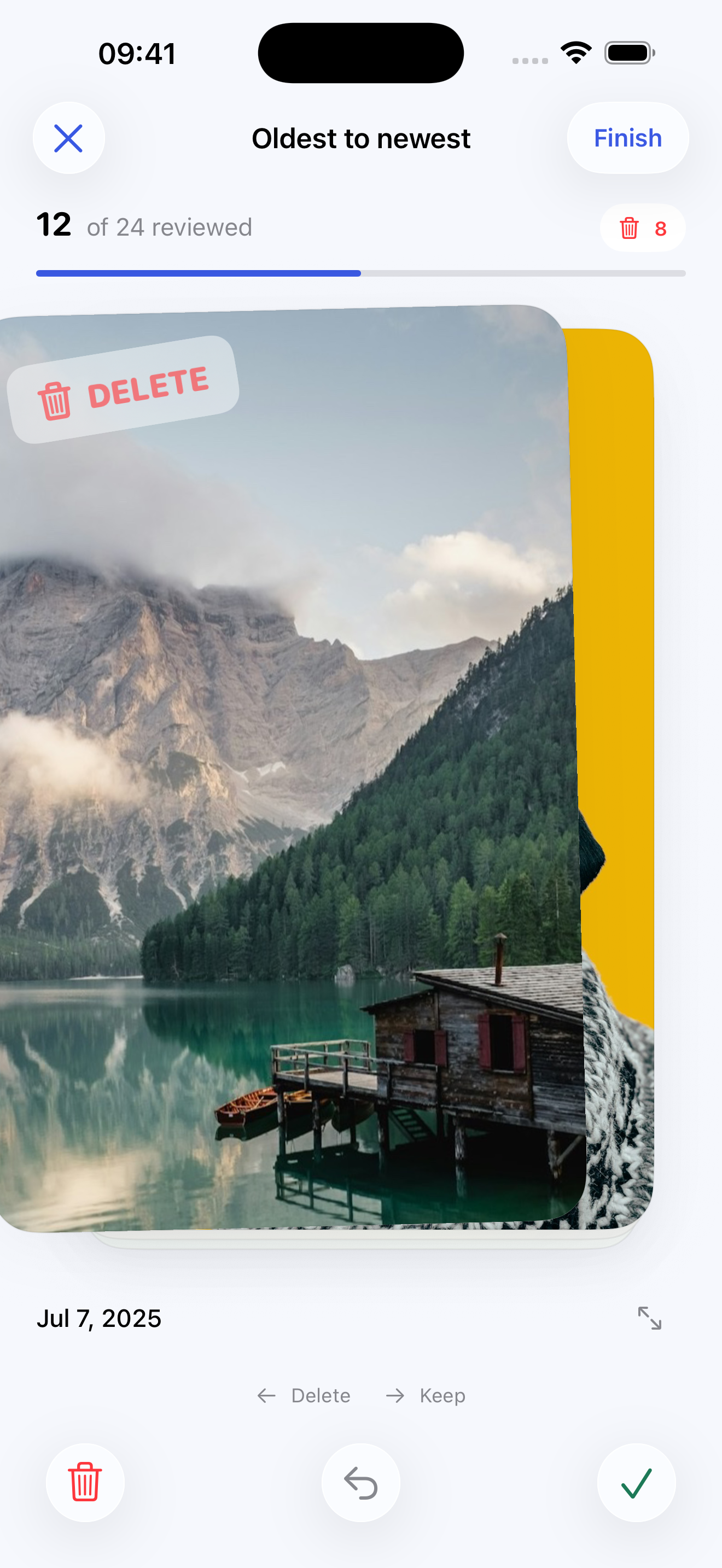
Swipe left to mark for deletion or right to keep. Use the buttons if you prefer. Undo a choice or open the full photo for a closer look.
Tap Finish to see your marked photos in a grid. Change any selection, then confirm deletion in Lighter and Apple Photos.
Main features
Clear an old backlog or sort recent photos. Choose the date order that works for you.
Changed your mind? Bring back an earlier photo and choose again before deletion.
Your cleanup and review progress are saved on your device. Close the app and continue later.
Open a photo in the viewer and zoom in before you decide. Live Photos can play in the viewer.
Check your final selection together. A swipe alone never deletes a photo.
Lighter does not upload your photos, show ads, or track your activity. No account is required.
Who is Lighter for?
For people with years of photos who want a simple way to work through them in order.
For people who prefer short cleanup sessions and want to continue later without losing their place.
For people who want to decide which memories stay, with time to check each photo and review the final selection.
Lighter sorts photos, including Live Photos. Videos and hidden photos are not included. You make the choices; the app does not automatically find duplicates.
Good to know
No. It marks the photo for deletion in your cleanup. You can use Undo or change the final review selection. Deletion needs your confirmation in Lighter and a separate Apple Photos confirmation.
Yes. Lighter supports full or limited Photos access. With limited access, you choose which photos are available to sort and can update that selection later.
Apple Photos may download previews from iCloud. If iCloud Photos is enabled, deletions also sync to your other devices. Deleted photos normally remain in Recently Deleted for 30 days. Keep a separate backup of important memories.
A little now. A little later.
Download Lighter for iPhone and iPad. Start with your oldest memories or your latest shots, and sort a little at a time.