Lighter is a free photo cleaner for iPhone and iPad. Sort your photos in the app, then review before deleting.
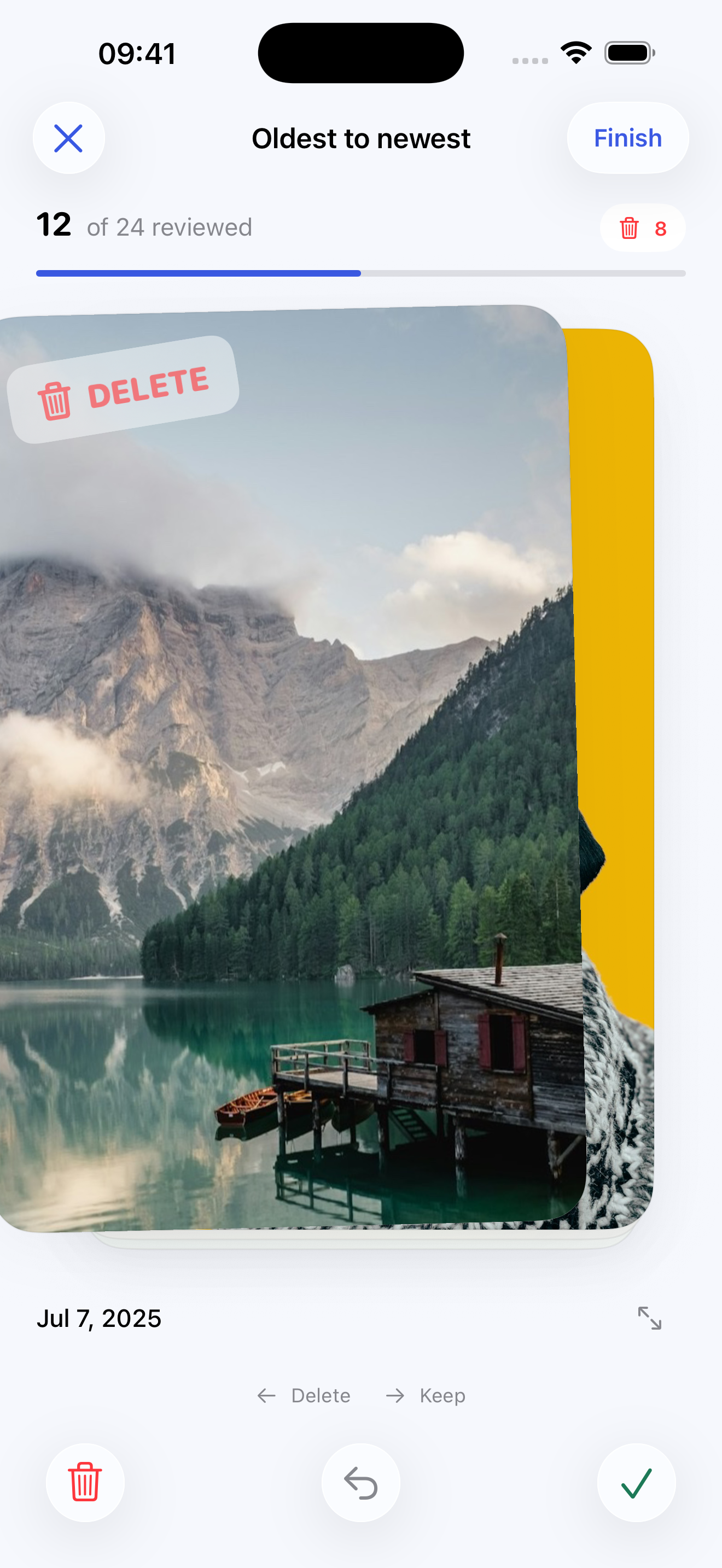
In Lighter, a swipe marks your choice. It does not delete the photo.
Three common decisions
What does this photo add?
01 · Several shots of the same moment
Keep the ones that tell you something different.
Look at expressions, movement, and small details. One photo may be sharper; another may capture the laugh you want to remember. Keep both if they matter for different reasons.
Ask: “Would I miss anything if I kept only the other shots?”
02 · Screenshots and practical photos
Check whether the information is still useful.
An old delivery update may have served its purpose. A receipt, recipe, reference, or important conversation may still be useful. If the photo holds your only copy, decide where to keep the information before deleting it.
Ask: “Will I need what’s in this photo again?”
03 · Blurry or imperfect photos
The memory can matter more than the quality.
A blurry photo of someone important may be worth keeping. An accidental shot of the floor may not be. Open the full photo and look closely before you decide.
Ask: “Is this a moment I want to keep, even if the photo isn’t perfect?”
Still unsure? Keep it. There is no number of photos you need to delete. You can make that choice another day.
Put the decisions into practice
Sort your photos in Lighter.
Work from your oldest memories or your latest shots. Your progress stays on your device, so you can stop and continue later.
1
Swipe to choose
Left marks a photo for deletion. Right keeps it. Use Undo or open the photo for a closer look.
2
Review your choices
Tap Finish to see the marked photos together. Change any selection before deletion.
3
Confirm when ready
Deletion needs confirmation in Lighter and approval of the Apple Photos deletion request.
Lighter sorts photos manually. It does not automatically detect duplicates. Videos and hidden photos are excluded. If you use iCloud Photos, deletions can sync to your other devices.
Keep the memories. Clear the clutter.
One photo at a time.
Lighter helps you work through your library without losing your place. No account, ads, tracking, or photo uploads.